Toolpath rounded corners.

Hi everyone,
I am using devdept eyeshot 2023.
I generate a toolpath from an stl in for milling machines.
It works great but I couldn't find the right parameter to have sharpened edges.
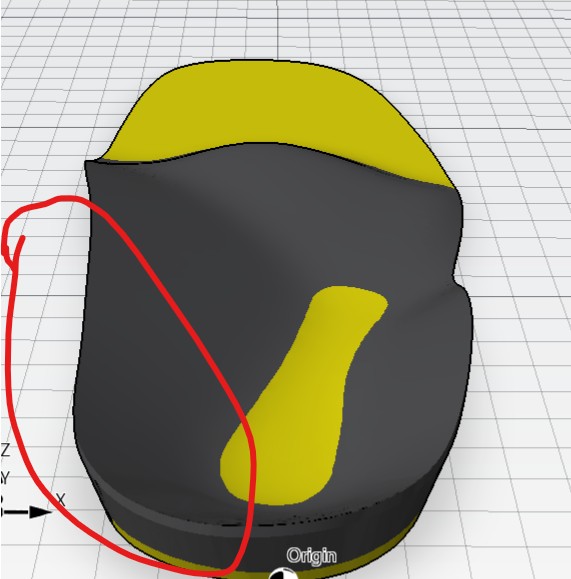
The result is rounded as on the image 1. I would like to mill it as I see it on the stl screenshot (Image2).
here is my C# code:
manufacture1.CreateControl();
ReadScannedFile(this.StlPath);
Point3D CoreEntBoxMin = (Point3D)manufacture1.Entities[0].BoxMin.Clone();
Point3D CoreEntBoxMax = (Point3D)manufacture1.Entities[0].BoxMax.Clone();
Interval zRangeStock1 = new Interval(0, 70);
Plane workPlane1 = new Plane(new Point3D(0, 0, 0), Vector3D.AxisX, Vector3D.AxisY);
MySetup setup1 = new MySetup(
"Top",
linearUnitsType.Millimeters,
workPlane1,
new Stock(manufacture1.Entities, workPlane1)
);
double stepOver = 0.85;
var ballDiameter = 10.0;
EndMill ball1 = new EndMill(ballDiameter, 5);
Parallel3D p3d = new Parallel3D(setup1,
ball1,
new Geometry3D(manufacture1.Entities, 0.1),
stepOver, //Step over, distance between two passages.
Math.PI / 4,
1);
p3d.ContactOnly = true;
p3d.RetractHeight = 40;
p3d.ClearanceHeight = 0;
var currentOperation = new Operation("Parallel", p3d);
flowControl.Setup.OperationList.Add(currentOperation);
flowControl.Setup.InitQueue(currentOperation);
flowControl.RunAllOperations();
Is it possible? How todo?
Any idea?
Thanks!
Image1: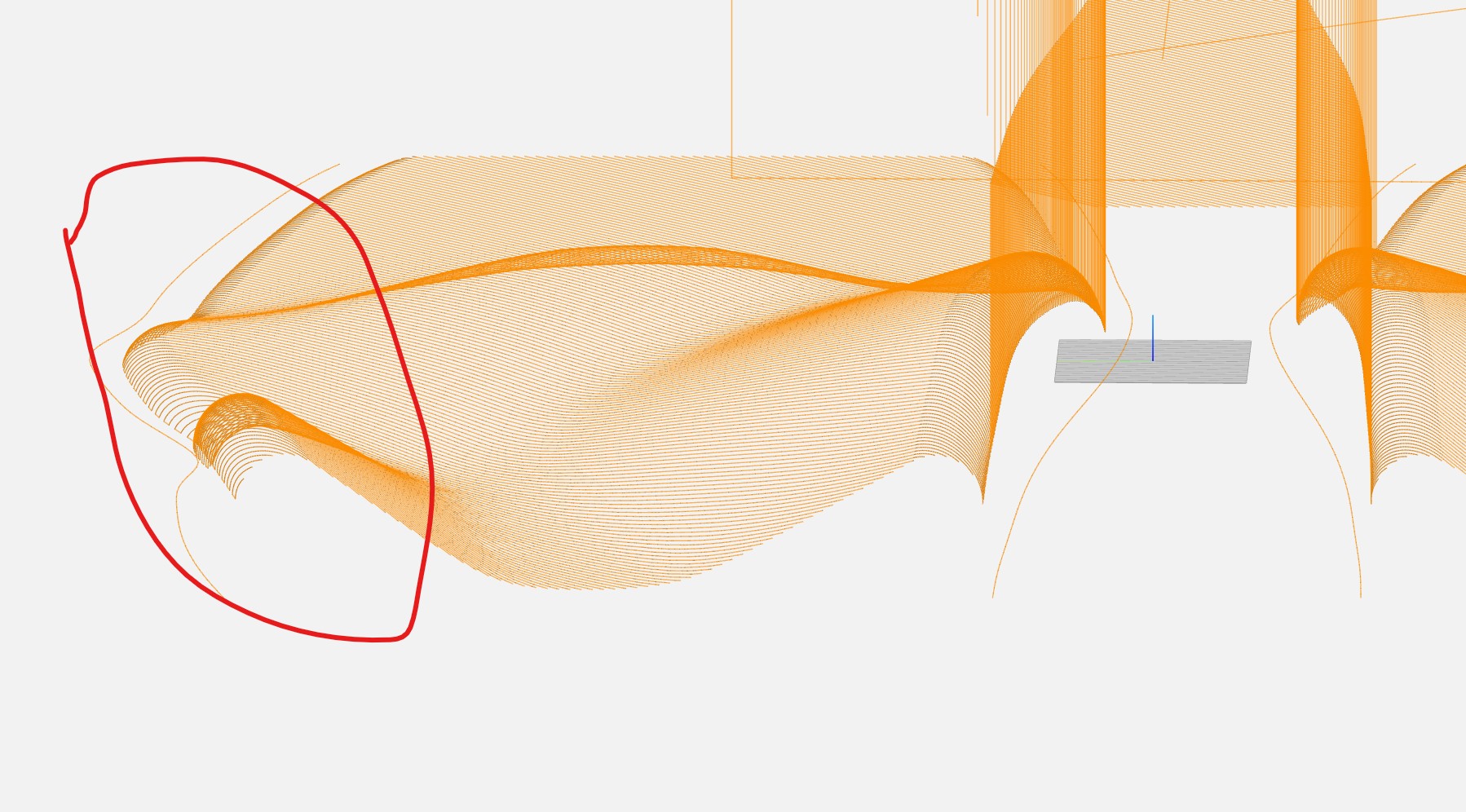
Image2:
Comments
Please sign in to leave a comment.