object manipulator predefined steps like in prusaslicer

Kai Knospe
currently the object manipulator supports steps by adding a specific value, if not set we are free.
the goal of the request would be to have predefined steps which can be dynamically used like in prusaslicer, see video:
https://www.screencast.com/t/GEKyWJzCYca
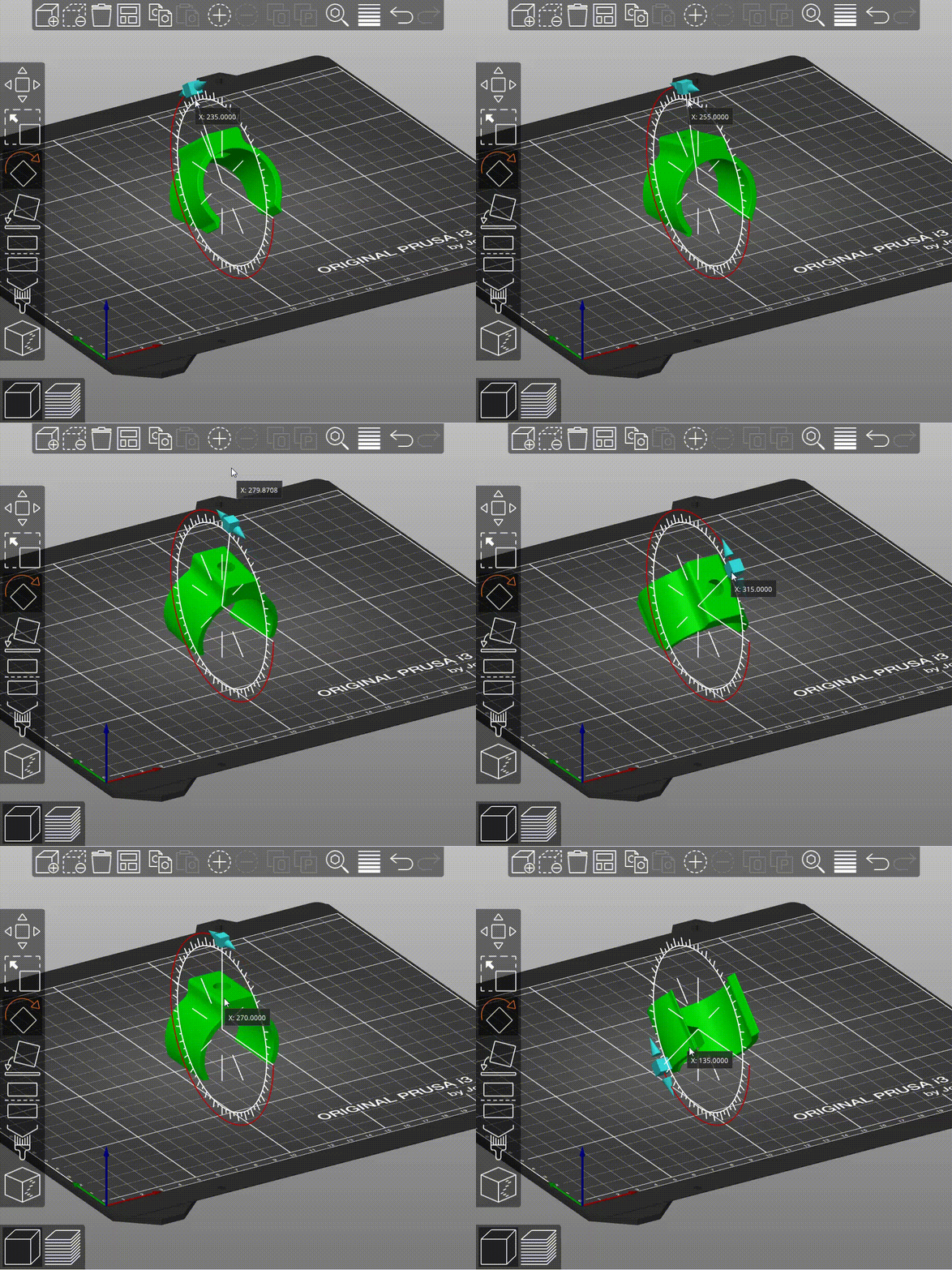
if mouse is above small outer lines, the step is 5 deg, on the inner lines we have 45 deg and if we are outside we are free again.
for 3d printing this is a great feature to position parts and it can also be great for cad part positioning
0
Comments
Animated GIF please.
In a similar manner to Kai's request, a type-in box that allows the user to specify an exact translation or rotation would be very useful. A similar feature is implemented in Rhino3D where the type-in appears next to the appropriate object manipulator component when the user clicks on the component. e.g. click on the X translate arrow and a text box appears near the arrow for the user to type the translation distance.
You'll have to write some code, but this is already possible.
Please sign in to leave a comment.