
By default, Eyeshot repeats a material with texture when it is applied to an entity:
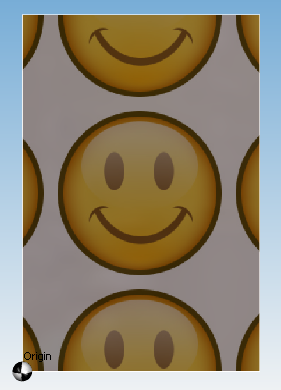
If you don't want to repeat it, but instead you want to apply it like a sticker, as in the following picture, you can use the approach described in this document.

Create a bitmap to use as the texture that has a 1-pixel border of the color that you want on your Eyeshot entity, then create a Material from that bitmap with the RepeatX and RepeatY properties set to false and assign it to the entity:
Region r = new Region(new LinearPath(20, 30));
Mesh plate = r.ConvertToMesh(0.1, Mesh.natureType.Plain);

Size origSize = Properties.Resources.Smiley.Size;

// Create a new bitmap from the original one that has a 1-pixel border of the appropriate color
Bitmap myBmp = new Bitmap(origSize.Width + 2, origSize.Height + 2);

using (Graphics gBmp = Graphics.FromImage(myBmp))
{
    SolidBrush brush = new SolidBrush(Color.Red);
    gBmp.FillRectangle(brush, new Rectangle(0, 0, myBmp.Width, myBmp.Height));
    gBmp.DrawImage(Properties.Resources.Smiley, 1, 1, origSize.Width, origSize.Height);
}

Material mat = new Material("mat", myBmp.ToByteArray());
mat.RepeatX = false;
mat.RepeatY = false;
design1.Materials.Add( mat);

// Apply the texture mapping and assign the material to the entity
plate.ApplyTextureMapping(textureMappingType.Plate, 0.5, 0.5);
plate.MaterialName = "mat";
plate.ColorMethod = colorMethodType.byEntity;

design1.Entities.Add(plate);
Note:
With OpenGL Renderer this feature works only with hardware acceleration and from build 8.0.385.
Comments
Please sign in to leave a comment.